The Best Security Habits for Hybrid Teams Who Work at Home, in Coffee Shops, and in the Office
A practical guide to realistic security habits for hybrid teams across three work locations: home Wi-Fi, coffee shop networks, and the office. Grant Dorsey explains what router checks matter, why hotspots beat public Wi-Fi for logins, how endpoint software and habits divide the work, and how managers make routines stick.

Cybersecurity software for hybrid teams gets most of the attention, and for good reason: a company laptop that moves between a kitchen table, a coffee shop, and a conference room needs protection that does not depend on which network it happens to be sitting on. What I have learned from years of endpoint rollouts and policy reviews for small offices is that the software reliably does its part. The habits are the variable. The same people who are careful at work will sit on an unsecured home network for two years without thinking twice, then connect to a lookalike coffee shop network without checking the name.
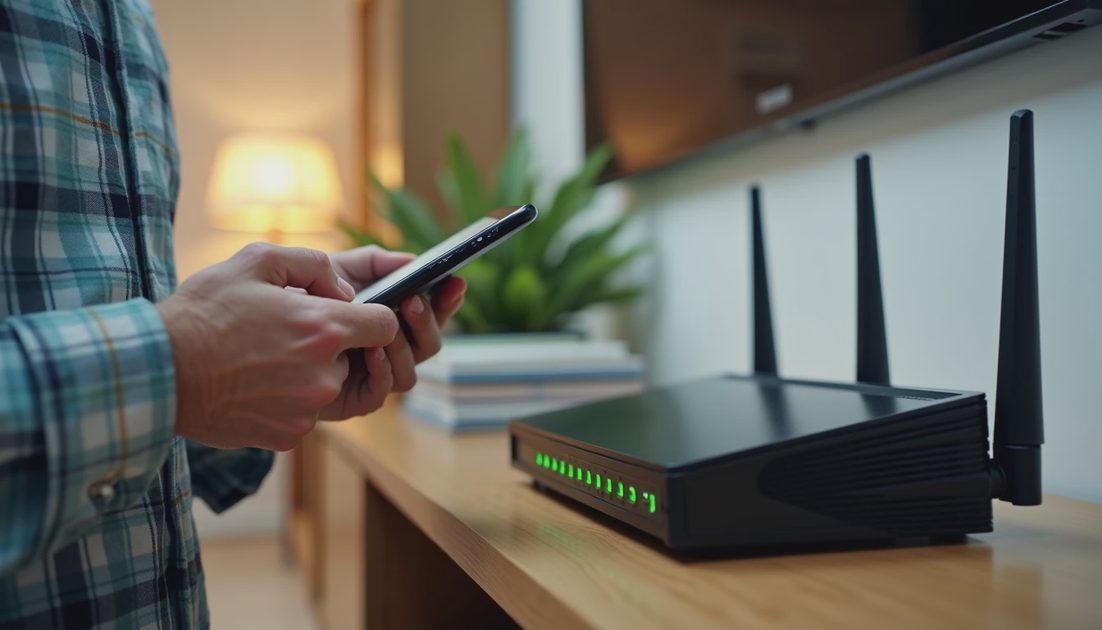
At Home: The Router Is the Front Door
When I help a hybrid team, I start at home, because the home network is where the sensitive accounts usually get compromised. The office network sits behind layers of managed devices. The home network sits behind whatever router the cable company installed, often with the factory admin password still in place and firmware that has not updated in years.
The Defaults Nobody Changed
Most home routers ship with a generic admin login that is printed on a sticker or documented online. In my experience, a surprising number of small-business employees have never changed it, which means anyone sharing that Wi-Fi network can open the router settings and redirect traffic. Changing the router admin password is a five-minute task with an outsized payoff.
A Guest Network Keeps the Gadgets Out of Your Business
Smart TVs, thermostats, speakers, and kids’ tablets do not need to share a network segment with a laptop holding client data. A guest network takes a few minutes to enable and separates them.
A quick home router check usually looks like this:
Router admin password changed from the factory default
Router firmware updated, with automatic updates enabled if the model supports it
Wi-Fi encryption set to WPA2 or WPA3
A separate guest network for smart-home devices and visitors
In Coffee Shops: Public Wi-Fi Has No Walls
The coffee shop is where habits go to die, because the setting feels friendly. The network does not. When a laptop joins public Wi-Fi, every other device on that network is in the same room, including devices you cannot see.
The Network Name Nobody Verifies
Public Wi-Fi is full of imitation networks with names like “CoffeeShop_Free” and “CoffeeShop_5G.” An attacker can set up a laptop broadcasting a similar name, and your device may connect to it automatically from memory. More often than not, the difference between a safe connection and a risky one comes down to a ten-second habit: confirming the official network name at the counter before you connect.
When the Phone Hotspot Is the Smarter Choice
For anything involving a login page — email, banking, the payroll portal, the CRM — I recommend treating the phone’s hotspot as the default. It replaces a shared network with cellular data, removing the entire category of stranger-on-the-same-network risk.
Practical coffee shop habits that hold up in the real world:
Confirm the official network name with staff before connecting
Use the phone hotspot for any page that asks for a password
Keep file sharing and network discovery turned off on the laptop
Do not leave the laptop unattended while the screen is unlocked

At the Office: The Network You Actually Control
The office is the one location with a network you manage, which makes it the place where people relax. That relaxation is usually fine — the infrastructure is doing its job — but a few habits still matter because the office is also where the most sensitive data lives.
The Machine That Walks Around
The office risk that surprises people is not the network. It is the laptop itself. Hybrid laptops carry more sensitive data than desktop machines ever did, and they travel. An unlocked screen at a shared desk, a laptop left in a conference room during lunch, or a device plugged into an unknown cable can undo a lot of careful network setup in one afternoon.
One Table, Three Work Locations
The habits differ less than people expect; what changes is which risk dominates in each place. The table below maps each work location to its realistic risk and the habit that helps.
Location | Realistic risk | Habit that helps |
|---|---|---|
Home | Router with factory defaults and outdated firmware | Change admin password, update firmware, add a guest network |
Coffee shop | Lookalike networks and strangers on shared Wi-Fi | Verify the network name; use a phone hotspot for logins |
Office | Unlocked screens and laptops left unattended | Lock the screen when stepping away; keep devices with you |
What Good Cybersecurity Software for Hybrid Teams Actually Handles
This is where cybersecurity software for hybrid teams earns its keep: it provides the baseline that habits cannot. I have rolled out enough of these products to know that a properly managed endpoint tool takes a few decisions out of human hands entirely. The console checks that devices are up to date, and it does not need anyone to remember.
What I look for when a small office asks me to set up their tooling:
Updates that install automatically, without depending on someone logging in
The ability to lock or wipe a lost laptop remotely
Policy enforcement for screen locks and full-disk encryption
A simple view of which company devices have not checked in recently
What Software Still Cannot Do
Software cannot tell you that your home router still has a factory password, confirm the real network name at a coffee shop, or lock your screen when you walk to the printer. That division of labor — software handles the baseline, habits handle the judgment calls — is the framework I use with every hybrid team. Buying another license to fix a habit problem is how offices end up with more consoles than clarity.
Making the Habits Stick Without Nagging
The teams that keep these habits are not the ones with the strictest policy binder. They treat security like backup: a short, scheduled routine. A quarterly twenty-minute review — router check, a reminder about hotspot use, a glance at which laptops have not updated — does more than a monthly lecture.
When I coach managers, I keep the message simple: make the safe choice the easy choice, and the team will mostly make it. A phone plan with enough data removes the excuse to skip the hotspot, and a shared checklist turns router checks into a team activity. Recognize people who report a suspicious prompt instead of scolding them for clicking.
The habits in this article work as a set, and the cybersecurity software for hybrid teams your office already runs is part of that set: the tool protects the device, the network habits protect the connection, and the routines protect the team from forgetting both. Security gets easier when the rules make sense, and for hybrid teams the rule that makes the most sense is short: treat every location as a place where you are responsible for your own connection, then let the software quietly handle the rest. Used consistently, the cybersecurity habits for employees in this article keep a hybrid office safer than any single purchase could.
Antivirus Software for Small Business: A Practical Buying Guide
NextHow I Evaluate “Trustworthy” Security Software for a Real Office
Emergency Patches Have No Waiting Period — Lessons from PHP2Shell and Node2Shell
PHP2Shell patches were followed by active scanning within roughly 20 min...
Digital Footprint Audit: A Practical Guide for Small Businesses
A digital footprint audit helps small businesses find exposed accounts, ...
Phishing Scam Text Message: How Office Teams Can Respond Safely
A phishing scam text message can look harmless. Learn how office teams s...
The Office Wi-Fi Rules Most Teams Never Write Down — and Later Regret
Most small-office Wi-Fi problems come from decisions nobody remembers ma...
Leave a comment
No comments yet.