Ransomware Panic Checklist: What Small Teams Should Do Before They Start Guessing
A ransomware response for small teams that starts before anyone touches a keyboard: handle the power-off debate, run a calm-hour containment order, preserve evidence, call insurance, IT, and legal in the right sequence, and know what not to do while waiting for help. Includes a do/don't table and the short post-incident review that prevents a repeat. Written from Grant Dorsey's first-person incident-response experience with small U.S. offices.

The worst part of a ransomware event isn't the ransom screen. It's the silence on the other side of the room while everyone waits for someone to know what to do. Ransomware is exactly the situation where an office malware response checklist earns its keep — because the natural impulses of well-meaning people are almost all wrong in that first hour. I've been in those rooms, and the difference between the offices that contain the damage and the ones that pay to rebuild comes down to one thing: the first calm hour.
Nothing in this article is about recovering files. That's the second day's problem. This is about what you do before you start guessing, so you don't turn a bad morning into a catastrophic week. If your office is looking at a ransom screen right now, start at step one and move in order.
The First Ten Minutes: Handle the Power-Off Debate
Somebody will want to pull the plug. I understand why — it looks decisive. But a hard power-off on an infected machine can destroy the evidence your insurer and your responders need: running processes, open network connections, sometimes the encryption routine itself sitting in memory. The machine that's already encrypted is already lost. What matters is stopping it from touching anything else. That's why the first decision in an office malware response checklist is never about the machine on the screen; it's about the network behind it.
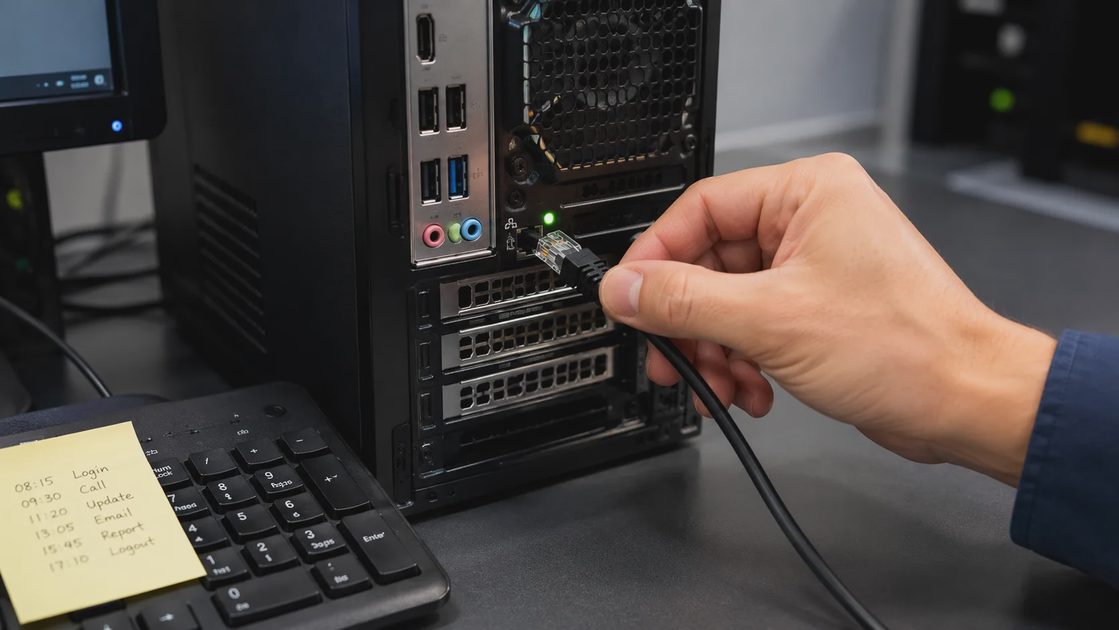
So the rule is: disconnect, don't power off. Unplug the ethernet cable, turn off Wi-Fi from the network menu, and leave the machine running. If screens across the office are lighting up one after another, go to the router or switch and disconnect the network there before you move desk to desk. Pulling cables one machine at a time is slower than a two-minute router action, and it puts people in front of the very machines you're trying to contain.
The Two Questions That Decide the First Move
Before anyone touches a cable, answer two questions out loud. First: what's affected — one machine, or the shared drives it was connected to? Second: what's still connected to the network right now? In my experience, most teams skip straight to solutions and skip these two questions, and that's how the office network security basics get forgotten at the exact moment they matter. Two answers, thirty seconds, then act.
The Calm-Hour Order That Keeps You Legal and Insurable
Once the immediate chaos settles, run the first hour in a set order. This order is the part of an office malware response checklist that most teams improvise, and improvising is how evidence gets lost and coverage gets questioned later. Here is the sequence I walk clients through, and it has held up in every incident I've worked:
Disconnect the affected machines from the network — cable and Wi-Fi — but leave them running.
Stop cloud file sync on the affected user accounts, and tell the office to stop opening files from shared drives. Your goal is to stop the encryption from spreading while unencrypted files still exist.
Take screenshots or phone photos of the ransom screen, the time you first noticed it, and any message that names a deadline. Do not open attachments from the attacker.
Do not delete anything — not the ransom note file, not the odd file extensions, nothing. Files you delete are evidence you paid to destroy.
Call in this order: your cyber insurance claims line first if you carry a policy, then your IT support or antivirus vendor's incident line, then legal counsel if the note threatens to publish data.
Do not touch the backups yet. Check that they exist and that the attacker didn't reach them, but don't restore a single file until a responder confirms the infection is contained.
That last step sounds backwards, and I'll explain why it matters. Restoring from a backup while machines are still infected is how offices re-encrypt themselves. I've watched it happen twice: the restore is running, everybody relaxes, and the encryption starts again from a machine that was never cleaned.

What Not to Do While You Wait for Help
While responders work, the office will keep offering suggestions, and most will fall into one of two buckets: helpful or expensive. This table is the difference, based on what I've watched go wrong in real incidents:
Do | Don't |
|---|---|
Document everything: times, screens, who touched what | Don't power off or reboot affected machines to "reset" them |
Keep affected machines on the isolated network until a responder says otherwise | Don't log into those machines to check whether the attacker is gone |
Ask everyone to leave shared drives alone | Don't let people open the ransom note or test the link out of curiosity |
Tell the employee who found it that they did right by speaking up | Don't interrogate or blame them in front of the whole office |
Now the uncomfortable topic: the ransom itself. Paying in the first hours is rarely a decision — it's a reflex, and reflexes are expensive. Paying is a gamble: some attackers return nothing at all, and a successful payment quietly marks your office as a repeat target. Guidance from law enforcement discourages paying, and your insurer and your counsel should weigh in before any money moves. In my experience, offices that decide calmly and after advice usually make a different choice than offices that decide alone at the keyboard. Don't pay in panic. Pay later, if at all, with advice.
After the Dust Settles, Run the Short Review
A ransomware morning is never good. It's a lot less bad when the first hour runs on a sequence you agreed to beforehand instead of the loudest opinion in the room. But the hour is only the beginning. Once responders hand the network back, the offices that stay quiet until the next incident tend to meet the same attacker twice.
What actually prevents a repeat is a short post-incident review with three questions. What happened, in one paragraph? What single rule would have stopped it — an offline backup, restricted admin rights, a filter on the email gateway? Who owns that rule, and when is it done? I keep a running section in my Avoidable Problems notebook for the answers offices give, and the pattern is consistent: incidents repeat when the fix stays in someone's head instead of in the schedule.
Security gets easier when the rules make sense, and an incident you survived is the one moment your whole office will actually read the rules. Use it. Pick the backup that gets taken off-site, decide who holds admin rights, agree on the call order for next time — and write it down where the next office manager will find it. The first hour will run itself.
How Small Teams Should Document Security Decisions So They Hold Up Later
NextWhat to Look for Before You Buy Antivirus for a Law Firm, Agency, or Accounting Office
A Practical Guide to ai for forensics small business incident response
ai for forensics small business incident response helps teams preserve e...
Digital Investigation Cost: A Practical Guide for Small Businesses
Digital investigation cost explained for small businesses: learn what dr...
Cyber Crisis Management: A Practical Plan for Small Businesses
Cyber crisis management helps small businesses respond to phishing, rans...
Incident Response Tabletop Exercise: A Practical Guide for Small Businesses
Incident response tabletop exercise guidance for small businesses: test ...
What to Do If an Employee Laptop Brings Malware Into the Office Network
A plain-language incident walkthrough for small offices when an employee...
Leave a comment
No comments yet.