What to Look for Before You Buy Antivirus for a Law Firm, Agency, or Accounting Office
A buying guide for antivirus in client-confidentiality offices: why law firms, insurance agencies, and accounting firms evaluate tools differently, the four checks that matter (quiet-hour scans, discreet reporting, per-seat licensing, managed deployment), a needs table by office type, and a thirty-minute pre-purchase test. Written from Grant Dorsey's first-person vendor-evaluation experience with small U.S. offices.

Over the years I've helped buy, roll out, and rip out antivirus for offices that hold other people's secrets — tax returns, settlement letters, claim files. Choosing antivirus for accounting firm office environments taught me the lesson I now use everywhere: the software isn't the product. The behavior it enables is. When your office owes clients confidentiality as a legal and professional duty, you shop differently than a general office does.
Those duties — attorney-client privilege on one side, CPA confidentiality rules on the other, fiduciary expectations for agencies that hold client records — don't come with a box to tick inside the antivirus installer. They shape every decision around the tool: when it scans, who sees the reports, and how licenses are managed. This article walks through what I check before I recommend any purchase for a client-confidentiality office, and it applies whether you have five seats or fifty.
Why Confidentiality Work Changes the Buying Decision
An antivirus product that works well in a trade shop can be a poor fit in a law office even when the detection engine is identical. The difference isn't the malware engine; it's how the tool handles the data it sits on top of. Your client files, billing records, and email threads are the crown jewels. A tool that phones detailed file names to a vendor cloud, or that a junior staffer can install "just to check," creates exposure no scan can justify.
When people ask me about antivirus for law office computers specifically, I point to the same concern: privileged documents should not be swept into telemetry that a vendor, or a shared admin screen, can display as plain text. I once helped a regional firm untangle an alert console that showed client-matter folder names in the default view — every person who walked past the screen could read which matters had triggered scans. Nothing was malicious. It was just a poor fit, and it took an afternoon to fix. My starting question for any candidate is the same: when this tool reports an infection, what exactly does the report say, and who can see it?
The Four Checks I Run Before Anyone Signs
After the confidentiality conversation, I narrow every candidate down to four checks. If a product fails one of these, it doesn't matter how smooth the dashboard looks. I've watched offices fall in love with a flashy console and ignore all four, and I've watched the same offices replace the product within a year.
Scan Timing That Respects Busy Seasons
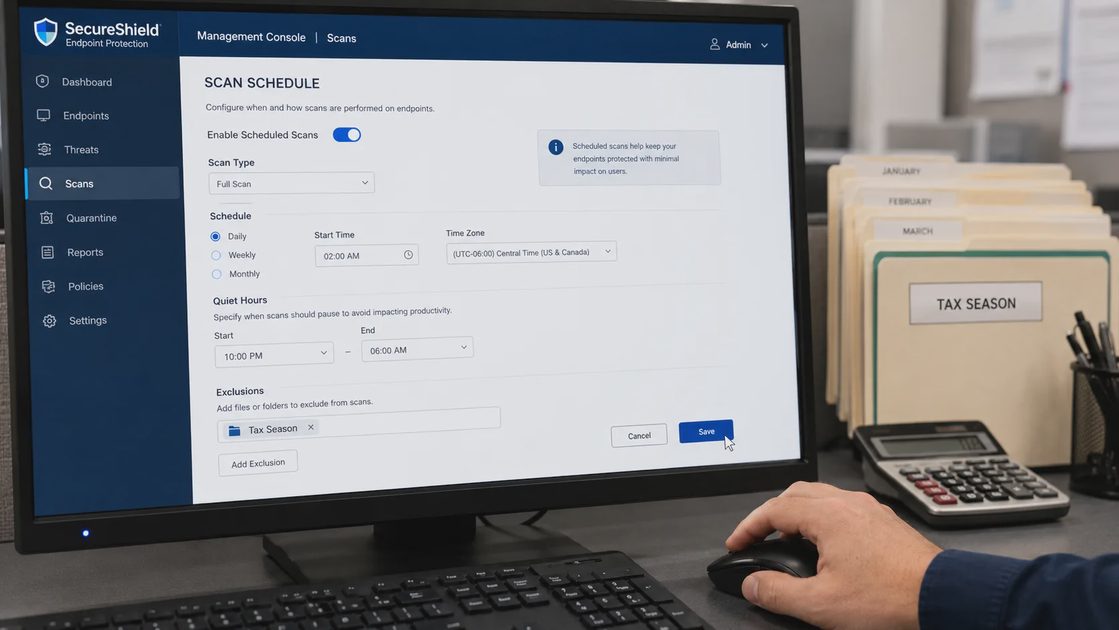
Tax season and month-end close are not the time for a full scan to grab every workstation at ten in the morning. For most confidentiality offices — and especially when we're talking antivirus for accounting firm office teams — the scan schedule is a feature, not an afterthought. Look for tools that let you set quiet-hour scans per machine or per group, and check that the default schedule doesn't collide with your filing deadlines. A scan that auto-runs during a client meeting looks like incompetence even when nothing is wrong.
Reporting That Doesn't Leak Client Names
Some consoles report machine names and file paths in plain view on a shared admin screen, which means the person walking past the screen learns which client folders got flagged. Before you configure anything, check which fields appear in alerts by default. In a confidentiality-driven office, you want reports that describe the problem — "malware detected, quarantined" — without dragging client file names into the summary. If the vendor can't turn those fields off, cross the product off the list.
Per-Seat Licensing You Can Actually Account For
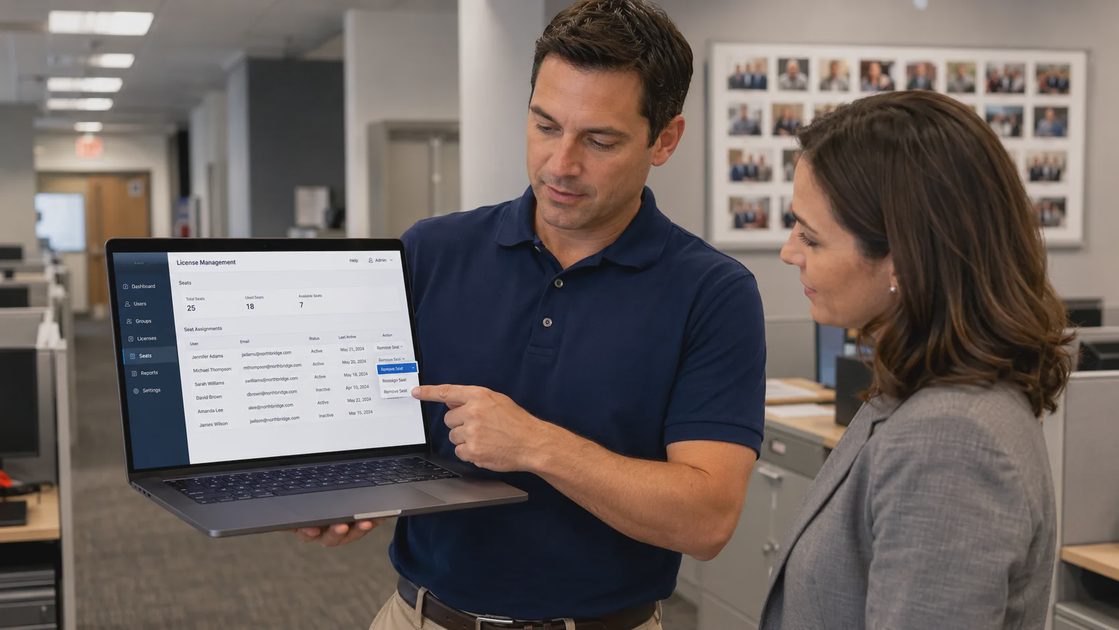
Confidentiality offices grow in spikes: tax-season temps, new attorneys, case assistants for a big matter, a sudden wave of claims work. Per-seat licensing matters because you want to add and retire seats without a phone call, and you want a count you can defend when a client or a regulator asks how many machines carry protection. I've seen offices pay for seats they stopped using years ago, simply because removing a license required emailing a salesperson. Self-service seat management is worth real money in these environments.
Deployment That Doesn't Require Walking to Every Desk
If the tool can't push an agent to machines from a central console, someone on your small staff becomes a full-time installer every time a new hire starts. Look for managed deployment, and check whether removing a former employee's machine from the console is a two-minute task or a support ticket. In my experience, offices with high turnover — and that includes most agencies — judge their antivirus by how easy it is to take away, not just to put on.
Matching the Tool to the Office Type
Once the four checks pass, the decision becomes about fit, and fit differs by office type. Here is the needs picture I work through with clients:
Office type | What drives the choice | What I look for first |
|---|---|---|
Law firm | Attorney-client privilege and document confidentiality | Reporting that stays internal, scans that avoid active case files during business hours, controls for client-file USB drives |
Accounting and bookkeeping firm | Tax-season workload and CPA confidentiality duties | Quiet-hour scans that never land on filing deadlines, per-seat licensing for seasonal hires, restricted access to tax-prep workstations |
Insurance agency | Client records and regulatory expectations | Central reporting for a small staff, password and credential controls, protection for the machine running agency management software |
None of these is exotic, and that's the point. The engine differences between reputable products are smaller than the marketing suggests. The differences that actually bite are behavioral: whether the scan respects your calendar, whether the report respects your client names, and whether the license matches how your staff actually changes through the year.
The Thirty-Minute Test Before You Commit
Before you buy, spend half an hour on a test install, and take a vendor trial seriously rather than as a formality. If you're choosing antivirus for accounting firm office workflows — or any office where client data is the business — run through this short checklist during the trial, not after you've paid for three years:
Read the default alert fields and confirm client names and file paths can stay out of shared views.
Schedule a test scan for a quiet hour and confirm the tool doesn't quietly revert to its own schedule.
Add and remove a test seat, and time how long each action takes.
Ask the vendor, in writing, where alert and scan data is stored and who can access it.
That last question tells you more than any spec sheet. A vendor that hesitates on data handling is a poor match for an office that answers to client-confidentiality duties. In my Avoidable Problems notebook, the recurring note about bad antivirus purchases is rarely about detection failures — it's about tools that treated client data like ordinary office files.
Security gets easier when the rules make sense, and for a confidentiality-driven office, the rule that matters is simple: your protection tool should never become a leak of its own. Buy the product that scans quietly, reports discreetly, licenses cleanly, and deploys without a fight. Your clients will never see it work — which is exactly how it should be.
Ransomware Panic Checklist: What Small Teams Should Do Before They Start Guessing
NextThe Office Wi-Fi Rules Most Teams Never Write Down — and Later Regret
Best Antivirus for Small Offices in 2026: What Actually Works for 10–50 People
Practical 2026 guidance for small offices on choosing antivirus software...
Falcon Go: A Practical Guide for Small-Business Security
Falcon Go explained for small businesses: learn what it protects, how se...
Secure Cloud Infrastructure: A Practical Small-Business Guide
Secure cloud infrastructure guidance for small businesses: practical con...
Managed Antivirus Solutions: Practical Protection for Small Offices
Managed antivirus solutions help small businesses protect devices, reduc...
zixcorp email encryption: A Practical Guide for Small Businesses
zixcorp email encryption explained for small businesses: learn how it wo...
Leave a comment
No comments yet.