First 60 Minutes After a Suspected Office Malware Infection
What a small office does in the first hour after a suspected malware infection determines the cost of the next month. This article gives a minute-by-minute office malware response checklist: minutes 0–10 for isolating the machine and preserving evidence, minutes 10–30 for containment and calling IT and insurance, and minutes 30–60 for choosing between cleaning, rebuilding, or escalating — plus the do-and-don't rules and the first-hour debrief most offices skip.

The first hour after someone says “I think I clicked something bad” will shape the next month of your life. I've walked into offices mid-incident more times than I can count, first as an IT operations manager and later as the outside person companies called, and the pattern is always the same: the offices that stayed calm and followed a sequence recovered faster and cheaper than the offices that improvised. That is why every small office needs an office malware response checklist written before incident day — not a binder, just a first-hour plan your team can actually run. Here is the sequence I teach, minute by minute, with the mistakes I keep having to undo.
Minutes 0 to 10: Stop the Spread, Not the Conversation
Your only job in the first ten minutes is containment. You are not investigating, not diagnosing, and definitely not reassuring everyone it's probably fine. If malware is at work, its most valuable resource is time and network access, and your goal is to take both away without destroying evidence.
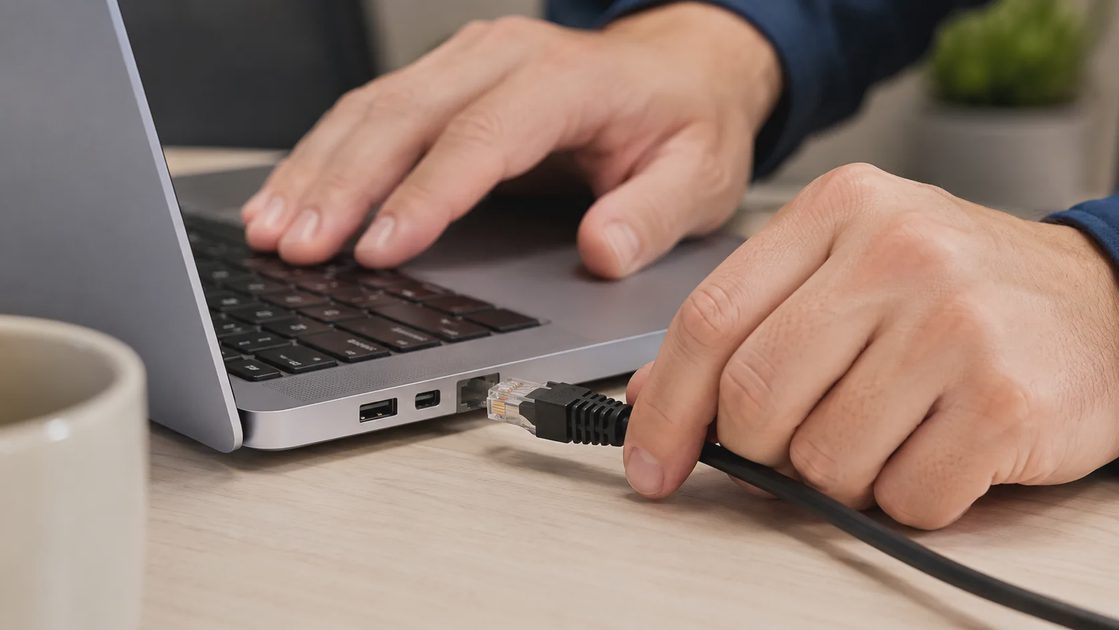
Disconnect the machine from the network. Unplug the ethernet cable or turn off Wi-Fi, but leave the laptop powered on. Shutting it down can destroy memory evidence a forensic person may need later.
Photograph the screen with a phone. Whatever is showing — a pop-up, a strange message, missing files — capture it exactly as it appears, along with the clock on another device so you have a timestamp.
Write down what happened, in plain words. What was clicked, what was typed into any prompt, whether a password was entered, and roughly when. Memory degrades fast; notes do not.
Tell the designated person, not the whole office. One named owner — office manager, IT lead, or you — should now hold the pen. Mass emails at minute five create panic and misinformation.
Leave the machine alone. No restarting, no “quick scans” with whatever tool is installed, no clicking anything on the screen, including any “contact support” button the pop-up itself offers.
That last point deserves emphasis, because the fake support button is part of the attack more often than people assume. The first entry in my “Avoidable Problems” notebook about incidents reads: one person did all five steps right, then clicked the attacker's own phone number to “cancel the transaction.” The checklist held; the improvisation cost us a week.
Minutes 10 to 30: Contain, Document, and Call the Right People
This stretch of the office malware response checklist is about widening the circle carefully. The infected machine is isolated, so now you check whether it had company, and you bring in the people whose job it is to know what happens next.
Do | Don't |
|---|---|
Check other machines for the same symptoms, ideally from your small business endpoint protection console if you run one | Power off the original machine — volatile evidence disappears with the shutdown |
Call your IT provider or managed security contact with your written notes | Download “cleanup” tools from search results while panicked |
Change critical passwords (email, banking, payroll) from a different, known-clean device | Type passwords into any prompt on the affected machine |
Notify your cyber insurance carrier if there is any sign of data or money involved | Announce a “breach” company-wide before anyone knows what happened |
Two calls matter most here. The first is your IT provider, who can check whether the same lure went to other inboxes. The second, if money or client data may be involved, is your insurance carrier — many policies require prompt notification and may steer you to approved forensic help, and finding that out at hour forty instead of hour one is an expensive way to learn it. Keep a one-page contact list — IT provider, insurance, bank, and whoever speaks for the company — taped inside a drawer, because on incident day nobody remembers where the policy documents live.

Minutes 30 to 60: Decide — Clean, Rebuild, or Escalate
By the half-hour mark you should know, roughly, what you are dealing with: a single machine that visited a bad site, or something with signs of spreading. The decision now has three branches, and choosing deliberately matters more than choosing fast.
Clean in place applies when one machine took the bait, nothing else shows symptoms, and your endpoint protection console reports the threat as contained. A technician can still do the cleanup, but the stakes are local. Rebuild is my default whenever credentials were typed into anything suspicious, because you cannot reliably prove a machine is trustworthy after that — back up the data, wipe it, reinstall. Escalate — insurance carrier engaged, forensic help brought in, possibly law enforcement — is the branch for ransomware-style messages or any sign that data left the building. If you find yourself arguing about which branch you are on, treat that as an answer and escalate.
Under no branch do you restore from backups yet. Backups are your last line of defense, and restoring onto an unclean network before the cause is understood is how offices end up infected twice in one week. I have watched that exact sequence unfold, and the second infection is always more demoralizing than the first.
Before Everyone Goes Home: The First-Hour Debrief
End the first hour deliberately, even if the news is good. Gather the notes, the phone photo, and a simple timeline of who did what and when, and put them in one place — that file becomes the backbone of the insurance claim, the client conversations, and the fix that follows. If the incident involved a client's information, this is also when you flag that notification duties may exist, so nobody discovers them three weeks later.
Then do the part almost every office skips: thank the person who reported it. The gap between “I clicked something and hid it for two days” and “I reported it in four minutes” is the single biggest driver of how bad an incident gets, and that gap is culture, not software. Update your office malware response checklist while the memory is fresh — what step confused people, what contact number was stale, what took too long — and file it for next time, because there is usually a next time.
Security gets easier when the rules make sense, and no rules make more sense than the ones written down calmly before incident day, when nobody is typing in a panic.
Bitdefender vs Malwarebytes vs Norton Small Business: Which Office Fits Which Tool?
NextWhat Actually Happens After One Employee Clicks a Fake Microsoft 365 Login Page
Cyber Crisis Management: A Practical Plan for Small Businesses
Cyber crisis management helps small businesses respond to phishing, rans...
Incident Response Tabletop Exercise: A Practical Guide for Small Businesses
Incident response tabletop exercise guidance for small businesses: test ...
What to Do If an Employee Laptop Brings Malware Into the Office Network
A plain-language incident walkthrough for small offices when an employee...
Ransomware Panic Checklist: What Small Teams Should Do Before They Start Guessing
A ransomware response for small teams that starts before anyone touches ...
The Most Preventable Security Incident I Ever Watched Unfold in an Office
This article tells the slow, true story of a six-day office phishing inc...
Leave a comment
No comments yet.