Antivirus Software for Small Business: A Practical Buying Guide
Antivirus software for small business: compare features, pricing, setup, and management tips so your team can reduce malware risk without enterprise complexity.
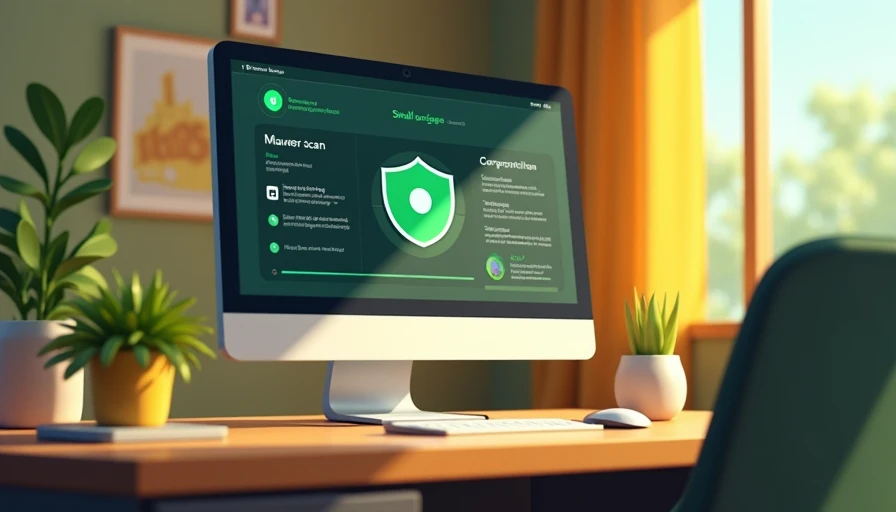
Choosing antivirus software for small business is less about finding the longest feature list and more about preventing ordinary office problems. A shared laptop downloads a fake invoice, an employee opens a weaponized attachment, or a remote worker postpones an important update. Good protection should reduce those risks without turning your office into a full-time security project.
The right product should cover company computers, make suspicious activity visible, install updates reliably, and give one person enough control to respond. It should also fit the way your team actually works. Security gets easier when the rules make sense, and a tool nobody understands is not a dependable plan.
What antivirus software for small business should actually do
At a minimum, look for real-time malware scanning, protection against malicious downloads, and detection of suspicious behavior rather than only known viruses. Modern threats often arrive through a convincing document, browser extension, script, or fake software update. Behavioral protection can help identify activity that looks dangerous even when a specific file is new.
Central management is another important dividing line. The best antivirus software for small business lets an owner or office manager see which devices are protected, which need updates, and whether a threat was blocked. Managing six computers individually is inconvenient; managing 30 that way creates blind spots. A web-based console can turn scattered settings into one repeatable process.
Look for device isolation, quarantine controls, tamper protection, and useful alerts. You do not need an alert for every harmless event, but you should know when protection is disabled or a serious detection occurs. Products from Bitdefender, Malwarebytes, Sophos, Microsoft, and other established vendors offer business-oriented options, although their consoles and included controls differ.
Match protection to your office setup
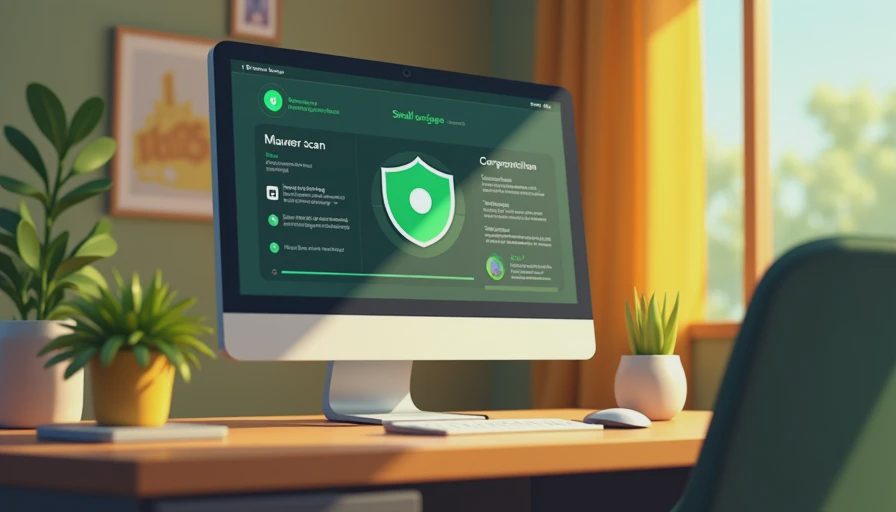
Before comparing antivirus software for small business, write down what you need to protect. Count Windows PCs, Macs, laptops, file servers, and devices used by contractors. Decide whether employees work from home, use personal computers, or connect through public Wi-Fi. A five-person design firm with MacBooks has a different starting point from a 25-person accounting office running Windows desktops and a shared server.
For many small teams, endpoint protection on every company-managed computer is the foundation. Microsoft Defender is built into supported Windows systems and can be a reasonable baseline when devices are updated, accounts are managed, and alerts are reviewed. A paid product can make more sense when you need cross-platform coverage, a richer management console, stronger web controls, or a support relationship.
Do not assume that antivirus replaces backups, multifactor authentication, or employee training. It is one layer. A malicious email can steal a password without dropping traditional malware, and ransomware can affect files that were reachable from an infected account. Pair endpoint protection with automatic updates, MFA for important accounts, tested backups, and a simple process for reporting suspicious messages.
Compare cost, management, and day-to-day friction
Pricing for business endpoint products commonly depends on the number of devices, contract length, and included services. A small deployment might cost roughly $25 to $80 per device annually, while more advanced packages with managed detection, email security, or human analyst support can cost substantially more. Treat the displayed price as a starting point and confirm whether taxes, onboarding, support, and renewal rates are included.
When comparing antivirus software for small business, calculate the cost of administration as well as the subscription. A cheaper product that requires manual checks every week may consume more staff time than a moderately priced product with clear dashboards and automatic remediation. Ask whether the vendor offers a trial, how cancellation works, and whether an administrator can export reports for insurance or compliance records.
Usability deserves a practical test. Install the trial on a normal work laptop, not only a clean test machine. Open the applications employees use, connect to common cloud services, and observe whether scans slow down calls or large file transfers. Then have a nontechnical manager review the alerts. If the explanation is confusing, the response process will probably fail during a busy afternoon.
Features worth paying for
Web and email protection can be valuable for offices that receive frequent invoices, résumés, or shared documents. These controls can block known malicious sites and warn users before they interact with suspicious content. Application control is useful when staff should run only approved software, while USB controls can limit risky removable drives in offices that exchange files physically.
Ransomware rollback or recovery features deserve careful questions. Find out what they protect, how long recovery data is retained, and whether the feature depends on local storage that malware could also reach. A separate, offline or otherwise protected backup remains important. Antivirus can stop many attacks, but no endpoint product promises to prevent every incident.
If your business handles medical information, financial records, legal files, or payment data, documentation may matter as much as detection. A management console that records device status, policy changes, and incident actions can help demonstrate that reasonable safeguards are being maintained. It does not automatically make the business compliant, but it gives you evidence instead of relying on memory.

A simple rollout that avoids office disruption
Start with an inventory. Record each device, operating system, assigned user, and current security product. Remove expired trials and duplicate antivirus tools before installing a replacement; competing real-time scanners can create conflicts and unnecessary slowdowns. Confirm that important files are backed up before making changes.
Next, test the product with a small group that represents everyday work. Include a manager, a remote employee, and someone who uses specialized software. Set the default policy, confirm that alerts reach the right administrator, and document what employees should do when a warning appears. The instruction can be short: stop, do not keep clicking, and contact the designated person.
After rollout, review the console on a schedule. Once a week, check for devices that are offline, out of date, or reporting repeated detections. Once a month, review administrator accounts and remove access for former staff. When an employee leaves, disable their accounts, recover company devices, and preserve needed business data through an established process.
A practical choice for a small team
For a very small office with current Windows devices, strong account security, and disciplined updates, the built-in protection already available on those systems may be an acceptable starting point. A growing or mixed-device office often benefits from a paid business plan because centralized visibility reduces guesswork. A company with limited internal IT time should consider a managed security provider rather than buying advanced software nobody will monitor.
Good antivirus software for small business should make routine protection boring: devices stay covered, updates happen automatically, and serious alerts reach a real person. Compare coverage, console quality, support, performance, and renewal terms instead of choosing solely by brand or a temporary discount. Then connect the tool to MFA, backups, patching, and a reporting habit. The software matters, but the repeatable process around it is what keeps a small problem from becoming an expensive office interruption.
The Best Security Habits for Hybrid Teams Who Work at Home, in Coffee Shops, and in the Office
How I Evaluate “Trustworthy” Security Software for a Real Office
Grant Dorsey explains how he evaluates security software for real small ...
What to Look for Before You Buy Antivirus for a Law Firm, Agency, or Accounting Office
A buying guide for antivirus in client-confidentiality offices: why law ...
The Vendor Demo Sounded Great. Here’s What I’d Verify Before Signing.
A vendor demo is, by design, a friendly environment — and a friendly env...
How to Choose a Business Antivirus Tool Without Getting Lost in Vendor Marketing
Grant Dorsey explains how to choose a business antivirus tool for a smal...
What “Endpoint Protection” Actually Means for a 20-Person Office
Grant Dorsey explains what small business endpoint protection really mea...
Leave a comment
No comments yet.