Cybersecurity Workshop: A Practical Guide for Safer Office Teams
A cybersecurity workshop can turn vague office risk into practical habits. Learn how to plan, run, and measure a useful session for your small business...

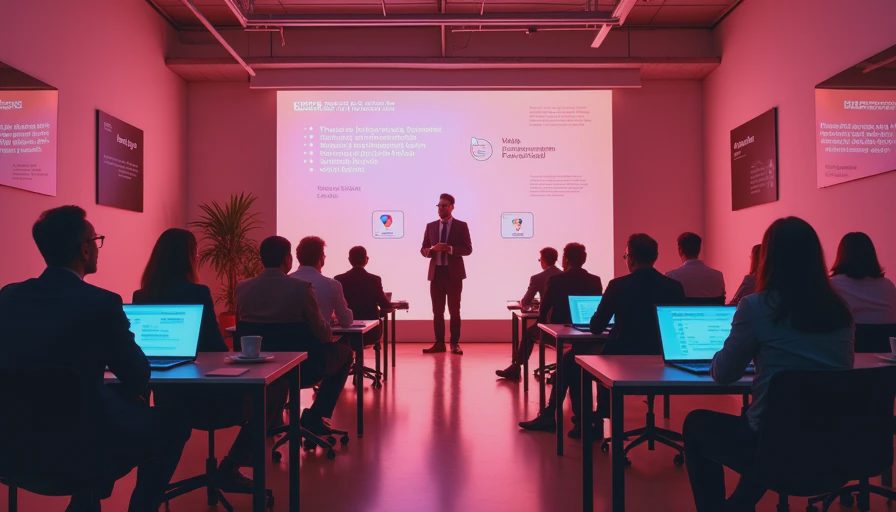
A cybersecurity workshop should not feel like a lecture about hackers, acronyms, or expensive enterprise software. For a small business, a useful cybersecurity workshop turns familiar office situations into better decisions: spotting a fake invoice, reporting a suspicious login, locking a laptop, and using a password manager correctly. The goal is not to make every employee a security specialist. It is to create a team that recognizes common risks and knows what to do next.
Start with the problems your office actually has
Before scheduling a session, ask what problem you are trying to prevent. A ten-person accounting office may be most concerned about invoice fraud and email account takeovers. A remodeling company with field staff may need better protection for phones, shared tablets, and cloud files. A medical practice may need tighter access controls and clearer handling of sensitive records. These situations deserve different examples, even when the basic security habits overlap.
Review recent near misses without naming or embarrassing anyone. Did someone open an attachment from an unknown sender? Did an employee forward a work document to a personal email account? Did a former contractor retain access to a shared folder? Those details give the cybersecurity workshop a practical starting point. They also make the discussion feel relevant instead of theoretical.
Keep the first session focused on three or four behaviors. Strong topics include multifactor authentication, password reuse, phishing reports, device updates, safe file sharing, and what to do after clicking a suspicious link. Trying to cover every possible threat usually produces a pile of notes and no change in behavior.

Build a cybersecurity workshop around real decisions
The strongest format is scenario-based. Present a short situation and ask the group what they would do. For example, an employee receives an email that appears to come from the company president requesting a $4,800 wire transfer. The sender address looks almost correct, the request sounds urgent, and the message says the president is in a meeting. A good response is to pause, verify through a known phone number or separate message, and report the email. It is not to reply to the original thread or send the money first.
Another scenario can involve a Microsoft 365 sign-in alert. The employee does not recognize the location but clicks the notification link anyway. The workshop should explain how to open the account through a saved bookmark or official app, review recent sign-ins, change the password if needed, and contact the person responsible for security. This is more useful than telling people to “be careful online.”
Include a short demonstration of a password manager such as 1Password, Bitwarden, or Keeper. Show how it creates a unique password, stores it, and fills it only on the correct website. If your business uses Google Workspace or Microsoft 365, demonstrate the exact multifactor authentication process employees will see. Familiarity removes friction.
Give employees a simple response path
A cybersecurity workshop should answer one question clearly: who do I contact when something feels wrong? Put the response path in writing. It might say, “Call the office manager, forward suspicious email as an attachment, disconnect a device from Wi-Fi if ransomware appears, and do not delete messages or reset the computer before instructions arrive.” The right process depends on your setup, but uncertainty should not be part of it.
Explain that fast reporting is more valuable than perfect reporting. Employees often delay because they fear looking careless. A calm policy should say that reporting a mistaken click within five minutes is a positive action. The sooner someone knows, the sooner they can revoke a session, reset credentials, isolate a device, or warn other employees.
Add an emergency contact list with the managed service provider, insurer, software administrator, and business owner. Store it somewhere accessible even if the main file server is unavailable. Include account names, not passwords, and keep sensitive recovery information in a protected password manager. A one-page incident card can prevent a confused search during a stressful morning.
Make the session useful for managers too
Managers often control the decisions that determine whether security habits survive. A cybersecurity workshop should therefore include practical management responsibilities: removing access when someone leaves, approving software requests, reviewing administrator accounts, and confirming that backups are running. These tasks are not glamorous, but they prevent ordinary mistakes from becoming extended incidents.
Use the session to settle questions about shadow IT. Employees sometimes choose Dropbox, WhatsApp, personal Gmail, or browser extensions because the approved process is slow or unclear. Instead of treating every workaround as misconduct, ask what job the employee was trying to complete. Then provide an approved tool and explain the boundary. If the team will not actually follow the rule, it is not a security plan.
Managers should also understand the difference between antivirus and broader endpoint protection. Products from Bitdefender, Malwarebytes, Sophos, Microsoft Defender for Business, and similar providers can offer different combinations of malware detection, device monitoring, policy controls, and alerting. The best choice depends on who will review alerts and respond to them. Buying a product without assigning ownership creates false confidence.
Measure behavior instead of attendance
A sign-in sheet proves that people attended a cybersecurity workshop. It does not prove that the office is safer. Use a few practical measures after the session. Check how many employees have multifactor authentication enabled, whether company laptops receive updates, and how quickly suspicious messages are reported. Review shared accounts and remove access that no longer has a business purpose.
A controlled phishing simulation can also reveal where instructions are unclear, but it should be used for coaching rather than public shaming. Share the results in aggregate and follow up with a short explanation of the warning signs. A team that reports more suspicious emails may actually be improving, not failing.
Schedule a brief refresher every three to six months. One session can introduce the rules, while later discussions address new payment scams, remote-work risks, browser security, and lessons from near misses. Ten focused minutes at a staff meeting often produce more lasting value than an annual presentation no one remembers.
Choose training that fits your office
When comparing providers, ask whether the cybersecurity workshop uses examples relevant to your industry, supports remote employees, and leaves behind usable materials. Look for clear facilitator guidance, short exercises, and a way to document completion. Avoid programs built around panic, unrealistic technical quizzes, or long videos that employees click through while doing other work.
The price can range from a free internal session to several hundred dollars for an outside instructor, depending on preparation and follow-up. A modest investment is worthwhile when it produces a reporting procedure, stronger account settings, and a written offboarding checklist. The expensive option is not automatically the responsible option; consistency matters more than theater.
Security gets easier when the rules make sense. A well-planned cybersecurity workshop gives people those rules, connects them to everyday work, and creates a clear response when something goes wrong. Start with your real office risks, practice a few decisions, and make the safer action the easier action.
Best Virus Protection for PC in 2026: AI Features, Free Options, and How to Choose
Indicate Which of the Following Are Examples of PII: A Practical Office Guide
indicate which of the following are examples of pii with this plain-Engl...
What PHP2Shell Means for Small Offices That Still Run WordPress (or Anything on PHP)
PHP2Shell (CVE-2026-109618 & CVE-2026-109619) is a pair of critical unau...
what is a c3pao and do small businesses need one? A Practical Guide
What is a c3pao and do small businesses need one? Learn what C3PAO means...
Data Execution Prevention for Small Business: A Practical Windows Guide
Data execution prevention for small business: learn what DEP does, how t...
POA&M Meaning for Small Business Compliance: A Practical Guide
poa&m meaning for small business compliance: learn what POA&M records sh...
Leave a comment
No comments yet.