Skype Fraudsters: How Small Businesses Can Stop Impersonation Scams
Learn how Skype fraudsters target small-business teams, spot impersonation, secure accounts, and respond calmly before a fake call becomes a costly...

Skype fraudsters rely on a familiar name, a rushed conversation, and a believable request. They may pose as a manager, customer, software vendor, technical support agent, or someone from a partner company. The goal is usually to steal credentials, redirect a payment, install remote-access software, or collect enough information for a later attack. For a small office, recognizing the pattern matters more than memorizing every scam script.
How the impersonation usually starts
The first message often looks ordinary. A new contact sends a Skype chat, starts a call, or claims to have found an employee through a business directory. The profile may use a real executive's name and photo. The fraudster then creates urgency: an invoice needs approval, a password must be reset, a confidential file is waiting, or a customer is holding on the line.
Skype fraudsters understand that workplace conversations are built around quick decisions. They do not always need sophisticated malware. A convincing request followed by one careless click can expose a Microsoft 365 password, banking detail, customer record, or internal document. They may also ask an employee to move the discussion to email, WhatsApp, or another platform where the scam can continue with less scrutiny.
Treat unexpected contact as untrusted until it is verified through a separate channel. If someone claiming to be the owner asks for a wire transfer, call the owner on a known phone number. Do not use the number or link included in the message. A real colleague should not object to a reasonable verification step.

Warning signs your team should recognize
Several details should slow the conversation down. The account name may be slightly different from the real person, while the profile image looks copied. The sender may avoid video, claim a microphone problem, or offer a reason that verification is impossible. Grammar mistakes are not proof of fraud, but unusual wording combined with pressure deserves attention.
Skype fraudsters commonly use phrases such as “keep this between us,” “I need this done immediately,” or “do not call because I am in a meeting.” They may ask for a one-time security code, a password, a gift card purchase, a remote desktop session, or a payment to a new bank account. A request that bypasses normal approval procedures is a process problem, even when the account appears genuine.
A useful office rule is simple: chat is for communication, not authorization. Payments, access changes, payroll updates, and sensitive file sharing should follow the company’s normal workflow. That workflow might require a ticket, a second approver, or a callback. These small delays are cheaper than recovering from a fraudulent transfer or compromised account.
Protecting accounts and devices
Account security reduces what happens after a bad interaction. Require multifactor authentication on business email, Microsoft 365, banking portals, password managers, and administrative accounts. An authenticator app or hardware security key is generally stronger than relying on text messages alone, although any MFA is better than an unprotected password.
Use a password manager so employees do not reuse the same password across Skype, email, shopping accounts, and business systems. If a password is entered into a fake login page, unique credentials limit the damage. Keep Windows, browsers, endpoint protection, and collaboration applications updated. Tools from Microsoft Defender, Bitdefender, Malwarebytes, Sophos, or similar vendors can help detect malicious downloads and suspicious behavior, but software cannot replace verification habits.
Skype fraudsters may send a harmless-looking document before attempting a larger compromise. Employees should not enable macros, install remote-control tools, or run scripts because a caller requests it. If technical support is needed, the employee should open a help-desk ticket or contact the known provider directly.
A practical response when contact feels wrong
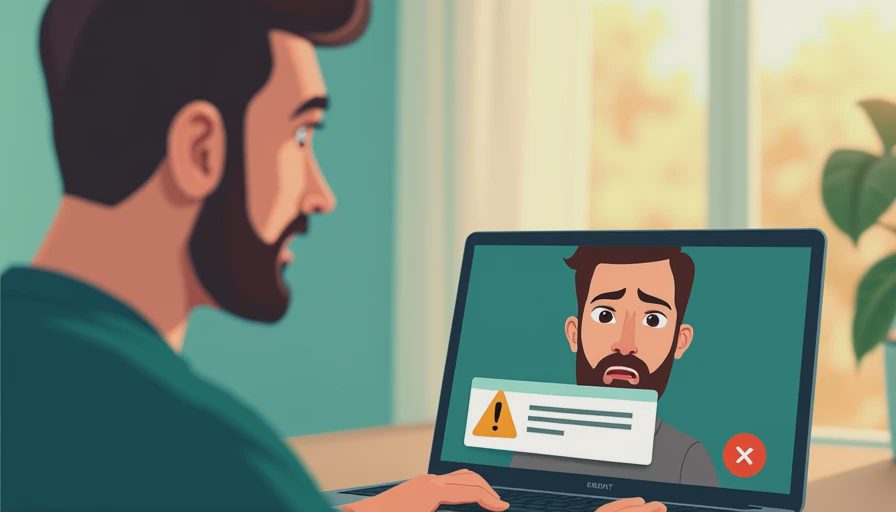
Do not argue with a suspicious caller or warn the account that it has been reported. End the conversation, preserve the chat history, and capture the profile name, time, links, phone numbers, and requested action. Report the account through the platform’s available reporting process and notify the person responsible for security or operations.
If a password was entered, change it immediately from a trusted device and revoke active sessions where the service permits it. Reset reused passwords on other accounts. If an MFA approval was accepted, review recent sign-ins and remove unfamiliar devices. If money was sent, contact the bank or payment provider promptly; speed can affect whether a transfer can be recalled.
Do not wipe a potentially affected computer before documenting what happened. Disconnect it from the network if malware or remote access is suspected, but preserve evidence for your IT provider, insurer, or law enforcement. A calm timeline is more useful than a frantic cleanup that erases important clues.
Training that works in a busy office
Security training should use situations employees actually face. Show a sample message from a supposed manager requesting a confidential payment. Ask what the employee would verify, who would approve it, and where the request should be recorded. Practice the callback process using known contact details rather than links in the message.
Skype fraudsters succeed when staff believe speed is valued more than judgment. Managers can change that expectation by praising verification instead of criticizing a delayed response. A short monthly reminder about payment changes, MFA codes, remote-access requests, and unusual file sharing is more useful than one annual presentation full of technical vocabulary.
Write the rule down in a place employees can find quickly. For example: no payment change is final from chat alone; no one shares an MFA code; and no employee installs remote-access software without an approved ticket. If the team will not actually follow the rule, it is not a security plan.
Build a lightweight incident process
Small businesses do not need a complicated security operations center to prepare. Assign one primary contact and one backup for suspicious messages. Keep vendor support numbers, bank fraud contacts, cyber insurance details, and the company’s IT provider in an offline or separately accessible document. Make sure an employee can report a problem even when their main account is locked.
Review logs and account activity after a suspected incident. Look for unfamiliar sign-ins, newly created forwarding rules, password changes, added MFA devices, unusual downloads, and sent messages the employee did not create. These indicators can show whether the event was limited to a scam attempt or expanded into account takeover.
Document the date, account, request, employee action, systems involved, and response steps. That record helps with internal learning and may support an insurance or regulatory conversation. Avoid blaming the employee; a reporting-friendly culture gives you a better chance of finding the next problem early.
The safer office habit
The best defense against Skype fraudsters is a boring, repeatable process: verify unusual requests, separate communication from authorization, use MFA, keep devices updated, and report mistakes quickly. No single antivirus package or spam filter catches every convincing impersonation attempt. Technology lowers exposure, while clear rules limit the damage when a message gets through.
Start with one action today. Review who can approve payments, confirm MFA on critical accounts, and give employees a known way to verify an urgent request. Then test the process with a harmless example. Security gets easier when the rules make sense, and a team that knows exactly what to do is much harder to rush.
On Call Management for Safer, Calmer Small-Business IT
Capcom’s 11.77 Million Account Leak Is a Reminder: Your Office Email Addresses Are Already in Someone’s Target List
Capcom confirmed on October 22, 2026 that 11.77 million member accounts ...
Common SME Security Risks for Offices: A Practical Protection Guide
Learn the common sme security risks for offices and ways to reduce phish...
Small Business Cloud Security: A Practical Office Guide
Small business cloud security explained in plain English: protect accoun...
Vulnerability Management Metrics That Make Office Security Easier
Use vulnerability management metrics to find overdue fixes, measure risk...
How to Secure a Business Network Without Making Work Miserable
Learn how to secure a business network with practical steps for password...
Leave a comment
No comments yet.